
Best Budget Studio Monitors Under $500 in Australia (2026)
Looking for your first pair of studio monitors on a tight budget? The right pair gives a bedroom producer something laptop speakers can’t: a proper stereo picture of the mix. You can hear where each element sits, judge the kick against the bassline and make panning decisions without relying entirely on headphones.
I’ve been producing music for more than ten years, and a good pair doesn’t have to cost an arm and a leg. I bought my KRK Rokit 5 G3s for about $350 in 2020, and they’re still in my setup. Because I make bass music, I pay close attention to low-end reach, although size, placement and connections matter just as much in a home studio. Drawing on that experience, current manufacturer specs and DJ City product data, I chose seven complete stereo pairs under AU$500.
My winner is the Pioneer DJ DM-50D. Its 5-inch woofers, useful inputs and Production mode make it the best all-rounder here for a bedroom producer or home-studio beatmaker. If every dollar counts, take the wired M-Audio BX4. If mixing is the main job and you already have an audio interface, move up to the M-Audio BX5BT. The comparison table covers all seven, and the buying guide explains what to check before choosing your first pair.
Disclosure: DJ City sells every model below. Prices and stock can change, so follow the product links for today’s details.
Best budget studio monitors: quick picks
- Best overall under $500: Pioneer DJ DM-50D
- Best value wired pair: M-Audio BX4
- Best pair under $300 with Bluetooth: M-Audio BX4-BT
- Best compact monitors for DJ practice: Pioneer DJ DM-40D
- Best for mixing under $500: M-Audio BX5BT
- Best compact pair for music production: Yamaha HS3
- Best white 5-inch studio monitor pair: AVE Fusion 5 pair
About the budget: When I checked on 8 September 2026, the BX4 sat below $250, the BX4-BT below $300, the DM-40D and Yamaha HS3 below $350, the DM-50D and BX5BT below $400, and the Fusion 5 below $500. Prices have a habit of moving when nobody is looking, so check the live product listing before deciding.
Budget studio monitors compared
Swipe sideways to compare all columns.
| Model | Best for | Low-frequency driver | Main wired inputs | Bluetooth | Sold as | Budget band at check |
|---|---|---|---|---|---|---|
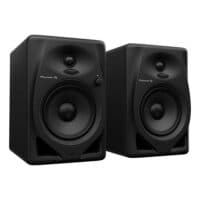
|
Best overall: bedroom production and DJ practice with more low-end reach | 5 inches | 6.35mm TRS, RCA, 3.5mm mini jack | No | Stereo pair | Under $400 |
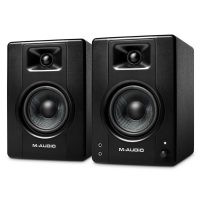
|
Small desks and first home setups | 4.5 inches | 6.35mm TRS, RCA, 3.5mm aux | No | Stereo pair | Under $250 |
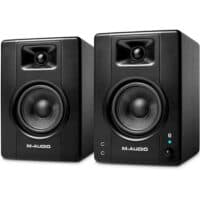
|
Wired production plus casual wireless playback | 4.5 inches | 6.35mm TRS, RCA, 3.5mm aux | Yes | Stereo pair | Under $300 |
|
Compact DJ and production desks | 4 inches | RCA, 3.5mm mini jack | No | Stereo pair | Under $350 |
|
Mixing with balanced inputs and switchable reference modes | 5 inches | Two 6.35mm TRS | Yes | Stereo pair | Under $400 |
|
Compact home studios that need balanced inputs and room controls | 3.5 inches | XLR/TRS combo, RCA, 3.5mm mini jack | No | Stereo pair | Under $350 |
|
A white 5-inch pair with XLR, TRS and RCA inputs | 5 inches | XLR, 6.35mm jack, RCA | No | Two powered monitors | Under $500 |
One practical difference is how the speakers are powered. The BX4, BX4-BT, BX5BT, DM-40D, DM-50D and Yamaha HS3 use one powered speaker connected to a second cabinet. The AVE Fusion 5 powers the left and right monitors separately. That affects how many power outlets and cables you’ll need, so check your available connections and where the speakers will sit before ordering.
The best budget studio monitors under $500
1. Best overall under $500: Pioneer DJ DM-50D
 If I had $500 and wanted one pair for producing and DJ practice, this is where my money would go. The DM-50D lands in the sweet spot for a small home setup: its 5-inch woofers reach down to a quoted 55Hz, while the connections cover almost anything you’re likely to put on the desk. Plug an interface into the 6.35mm TRS inputs, run a controller into RCA or use the 3.5mm input for a computer.
The switchable Production and DJ modes are a big reason the DM-50D takes my top spot. Production mode is the sensible starting point when you’re working on a track, while DJ mode gives you a punchier presentation for practising a set. Volume and the headphone socket are on the front too. Glamorous? No. Brilliant when you need to turn things down quickly at midnight? Absolutely!
Specifications checked against: Pioneer DJ’s DM-50D product information.
At a glance
- Driver: 5-inch woofer
- Frequency range: 55Hz to 22kHz (-10dB)
- Inputs: 6.35mm TRS, RCA and 3.5mm
- Amplification: One powered cabinet drives the second speaker
- Package: Stereo pair
My take: Buy the DM-50D if you want the strongest all-rounder in this list. Go to the Fusion 5 if XLR inputs and two independently powered cabinets matter more, or drop to the DM-40D if your desk is genuinely cramped.
Why I picked it
- Five-inch woofers give you more low-frequency reach than the smaller models here.
- The pair accepts 6.35mm TRS, RCA and 3.5mm sources.
- DJ and Production modes make it flexible for a mixed workflow.
What I’d watch
- One powered cabinet drives the second speaker.
- The larger enclosure needs more room and sensible placement.
- There is no Bluetooth on this version.
2. Best value wired pair: M-Audio BX4
 The BX4 is the cheapest pair here, and that’s exactly why it earns its place. If you’re producing on laptop speakers and want a proper left-and-right desktop setup for well below $300, this is the obvious first step. RCA, 3.5mm and two 6.35mm TRS inputs also mean it should slot into most beginner setups without much fuss.
I’d use the BX4 at close range and keep a decent pair of headphones nearby for checking sub-bass. M-Audio quotes a frequency response of 69Hz to 22kHz, so you won’t hear the deepest lows clearly through these monitors. That’s the main compromise, but it’s a reasonable one at this price. For a first home setup, the BX4 gives you proper stereo separation and a much better basis for making mix decisions than laptop speakers.
Specifications checked against: M-Audio’s BX4 product information.
At a glance
- Driver: 4.5-inch woofer
- Frequency response: 69Hz to 22kHz
- Inputs: 6.35mm TRS, RCA and 3.5mm
- Amplification: One powered cabinet drives the second speaker
- Package: Stereo pair with connecting cables and foam feet
My take: Buy the BX4 if the budget is tight and you work at a desk. Don’t buy it expecting club bass or enough level for a large room.
Why I picked it
- Front volume, aux and headphone connections are handy on a desktop.
- The left/right position switch lets you put the powered speaker on the convenient side.
- The listed package includes the pair, connecting cables and foam feet.
What I’d watch
- The 69Hz lower response limit leaves deep sub-bass outside its useful range.
- These are compact multimedia reference monitors, so keep your expectations realistic in a larger room.
3. Best budget pair with Bluetooth: M-Audio BX4-BT
 This one’s straightforward: it’s the BX4 for someone who will actually use Bluetooth. You can play a reference track from your phone, pass playback to someone else in the room or use the monitors for casual listening once the session is over.
I would still plug in for production and DJ practice. Bluetooth delay makes cueing, playing pads and tight edits feel like your hands and ears have stopped speaking to each other. The wired inputs are right there, so use them.
Specifications checked against: M-Audio’s BX4-BT product information.
At a glance
- Driver: 4.5-inch woofer
- Frequency response: 69Hz to 22kHz
- Inputs: 6.35mm TRS, RCA, 3.5mm and Bluetooth
- Front connections: Aux input and headphone output
- Amplification: One powered cabinet drives the second speaker
- Package: Stereo pair
My take: If Bluetooth will get used every week, buy this version. If it won’t, save the money and get the standard BX4.
Why I picked it
- It combines a complete stereo pair with Bluetooth and several wired inputs.
- The compact cabinets suit desks and bedrooms.
- Front-panel volume, aux and headphone connections are easy to reach.
What I’d watch
- Use a wired connection for production and DJ practice.
- Bluetooth doesn’t turn the system into a portable or battery-powered speaker.
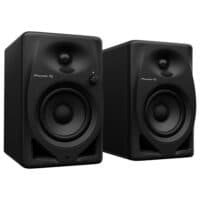
4. Best compact monitors for DJ practice: Pioneer DJ DM-40D
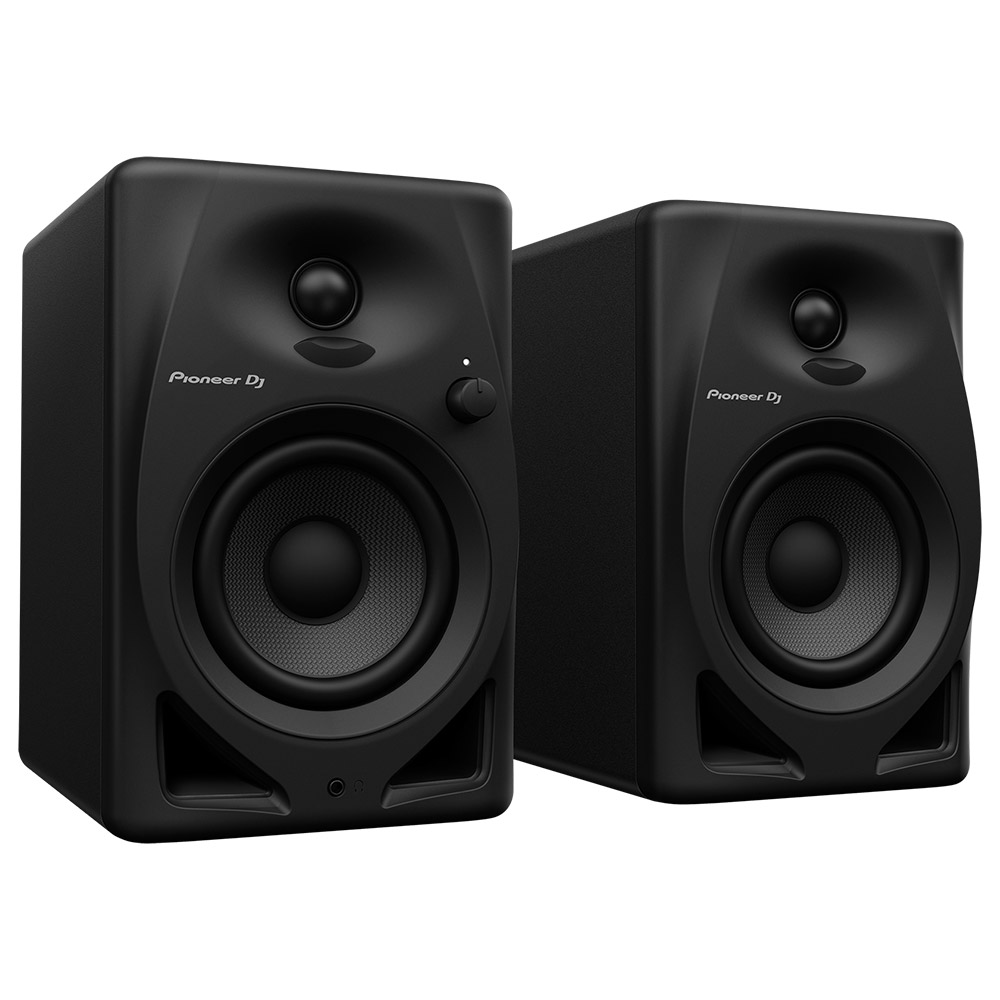 The DM-40D is the pair I’d put beside a compact controller when desk space is already running out. I think Pioneer DJ has got the priorities right for that job: RCA for common entry-level DJ gear, volume and headphones on the front, and the same Production and DJ modes that make the larger DM-50D so useful.
The 4-inch cabinets take up less room on a bedroom desk, so they’re easier to fit beside a controller and laptop. The trade-off is less low-bass reach than you’ll get from the 5-inch DM-50D. For practising transitions at home, that’s manageable; just check bass-heavy tracks on headphones or another system as well.
Specifications checked against: Pioneer DJ’s DM-40D product information.
At a glance
- Driver: 4-inch woofer
- Frequency range: 60Hz to 20kHz (-10dB)
- Inputs: RCA and 3.5mm
- Sound modes: Production and DJ
- Amplification: One powered cabinet drives the second speaker
- Package: Stereo pair
My take: Buy the DM-40D for a compact DJ desk. If you can fit the DM-50D and cover the price difference, I’d take the larger model.
Why I picked it
- The two sound modes suit a mixed DJ and production workflow.
- Its front controls and smaller cabinets fit a busy DJ desk.
- RCA connects directly to many entry-level DJ controllers and mixers.
What I’d watch
- Four-inch woofers trade deep bass extension for a smaller cabinet.
- For events and larger rooms, look at powered PA speakers.
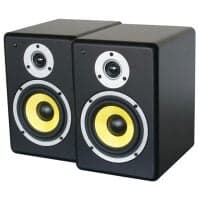
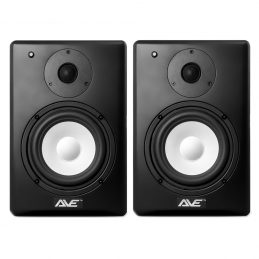
5. Best white 5-inch studio monitor pair: AVE Fusion 5
 The Fusion 5 is my sleeper pick. It is easy to skim past beside the better-known names, but it has the most conventional studio-monitor layout in this list. Both cabinets have their own amplification and input panel, so your interface or mixer sends a separate left and right signal straight to the speakers. You get XLR, 6.35mm and RCA on both sides, which makes this the easiest pair here to wire into a balanced studio setup.
AVE quotes a 53Hz to 20kHz response and includes a high-frequency trim control. I like this option for someone who cares more about the signal path than Bluetooth, front headphone sockets or a one-box desktop arrangement. You will need two power outlets and two proper signal cables, so plan the desk before the boxes arrive.
Specifications checked against: DJ City’s AVE Fusion 5 product information.
At a glance
- Driver: 5-inch woofer in each monitor
- Frequency response: 53Hz to 20kHz
- Inputs: XLR, 6.35mm and RCA on each monitor
- Amplification: Two independently powered, bi-amplified monitors
- Package: Matched pair
My take: Buy the Fusion 5 if balanced XLR connections and independently powered speakers top your list. Pick the DM-50D if you would rather have front controls, DJ/Production modes and one mains connection for the pair.
Why I picked it
- Both speakers are powered and accept their own input signal.
- XLR, 6.35mm and RCA connections suit a wide range of studio gear.
- The 5-inch drivers offer useful low-end reach for a small home studio.
What I’d watch
- You need two mains outlets and the correct left and right signal cables.
- The pair takes up more room than the compact 4-inch choices.
- Finish low-bass decisions with headphones or another playback reference.
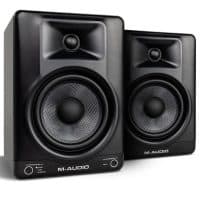
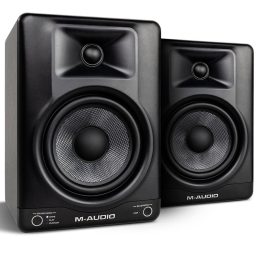
6. Best for mixing under $500: M-Audio BX5BT
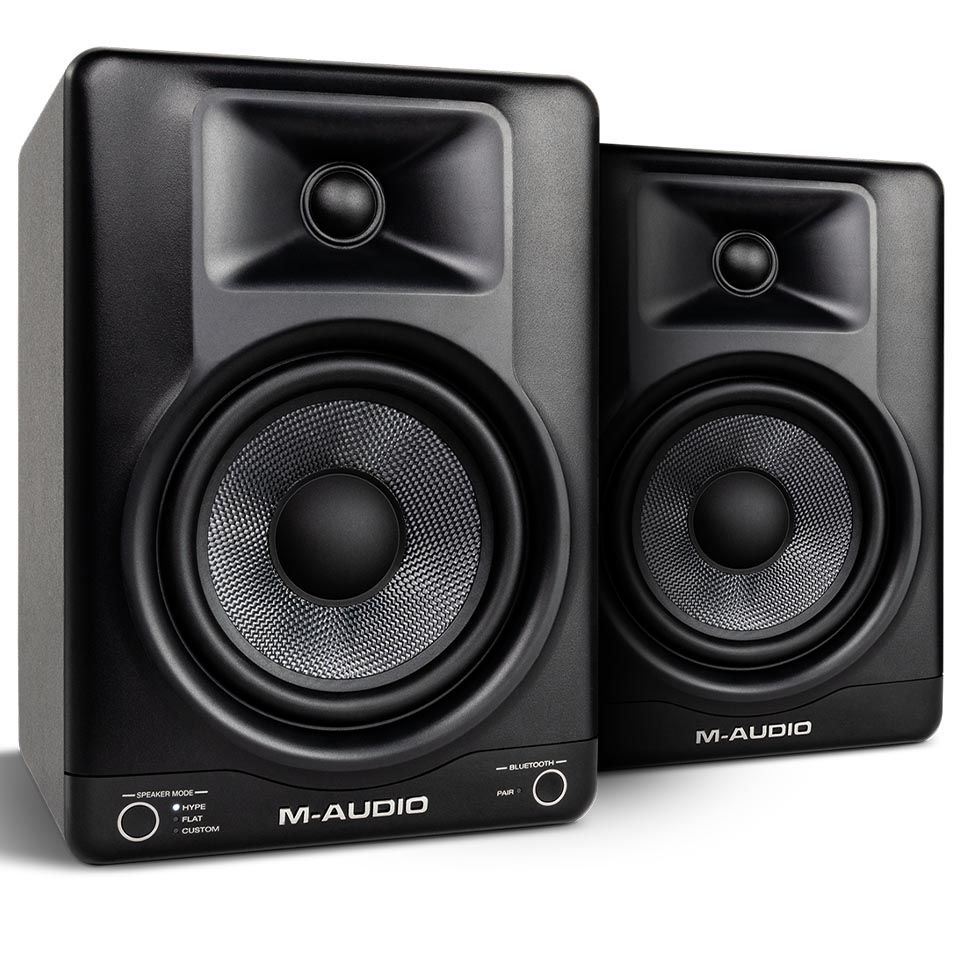 If mixing is the main job and you want a compact pair with one mains connection, the BX5BT is my pick under $500. Its 5-inch woofers reach down to a quoted 49Hz, while the two balanced 6.35mm TRS inputs connect cleanly to an audio interface. Start in Flat mode when you’re working on a mix; Hype mode is there for a quick consumer-style check.
The Custom mode works with M-Audio’s Studio Control app, where you can adjust a five-band EQ and save presets. That gives you useful control for a home studio, although I would sort out placement before reaching for the app. Bluetooth is handy for reference tracks and casual listening; use the TRS inputs for production so latency stays out of the session.
Specifications checked against: M-Audio’s BX5BT product information.
At a glance
- Drivers: 5-inch woofer and 1-inch tweeter in each monitor
- Frequency response: 49Hz to 20kHz (-10dB)
- Inputs: Two balanced/unbalanced 6.35mm TRS inputs and Bluetooth 5.0
- Sound modes: Flat, Hype and Custom with app-based five-band EQ
- Amplification: 120W total; one powered cabinet drives the second speaker
- Package: Stereo pair
My take: Choose the BX5BT if mixing is the priority and you want balanced inputs, useful low-end reach and room-adjustment tools in one pair. Take the DM-50D if you need RCA or 3.5mm inputs for a controller or computer.
Why I picked it
- The quoted 49Hz lower limit is useful for a 5-inch pair.
- Balanced TRS inputs suit audio interfaces and proper studio cabling.
- Flat, Hype and Custom modes support mixing and quick reference checks.
What I’d watch
- There are no XLR, RCA or 3.5mm inputs.
- One powered speaker connects to the second cabinet with the included interconnect cable.
- Use a wired connection for production; Bluetooth adds latency.
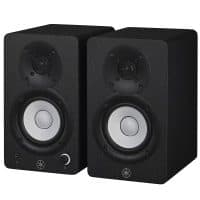
7. Best compact pair for music production: Yamaha HS3
 The HS3 is my compact production pick for a bedroom desk that cannot comfortably fit a 5-inch pair. Each cabinet is only 132mm wide, yet Yamaha still gives you balanced XLR/TRS combo inputs alongside RCA and a 3.5mm stereo input. There is a volume control and headphone output on the front as well.
Its quoted response reaches down to 70Hz (-10dB), so I would still check sub-bass on a decent pair of headphones. The advantage here is control: Room Control can pull back excess low end when the speakers sit near a wall, while High Trim adjusts the top end. Sort out the placement first, then use those switches for small corrections.
Specifications checked against: Yamaha’s HS3 product information.
At a glance
- Driver: 3.5-inch woofer in each monitor
- Frequency response: 70Hz to 22kHz (-10dB)
- Inputs: XLR/TRS combo, RCA and 3.5mm stereo
- Amplification: One powered cabinet drives the second speaker
- Package: Stereo pair
My take: Buy the HS3 if desk space is tight and music production is the main job. Choose the DM-40D if DJ practice matters more, or a 5-inch pair if you have the room and want stronger low-end reach.
Why I picked it
- The compact cabinets leave more room for a laptop, interface and MIDI controller.
- Balanced inputs suit an audio interface, while RCA and 3.5mm cover simpler setups.
- Room Control and High Trim provide useful adjustment for a small home studio.
What I’d watch
- The 70Hz low-frequency limit means you will need headphones to check deep sub-bass.
- There is no Bluetooth.
- Only the left cabinet is powered, with a speaker cable running to the right cabinet.
Compare current prices and stock
Pricing and availability below are loaded directly from DJ City’s catalogue.
-
 Free Shipping$339
Pioneer DJ DM-40D 4-Inch Studio Monitor Pair – Black
-
 Free Shipping$379
Pioneer DJ DM-50D – 5″ Inch Studio Monitor Pair (Black)
-
 Free Shipping$229
M-Audio BX4 D3 Series 4 Inch Studio Monitors – Pair
-
 Free Shipping$339
Yamaha HS3 Powered Studio Monitor 3 Inch – Pair
-
 Free Shipping$299
M-Audio BX4-BT 4-Inch Bluetooth Studio Monitors – Pair
-
 $439
$439AVE Fusion 5 Pair White Studio Monitor Pair 5 Inch
-
 Free Shipping$359
M-Audio BX5BT Bluetooth Studio Monitors (Pair)
How I chose these budget studio monitors
I built this list around one non-negotiable rule: the whole stereo pair had to cost less than $500 when I checked the DJ City range on 8 September 2026. I removed discontinued models from the old guide, checked current stock and pair pricing, then verified the specifications against manufacturer documentation where available. I used DJ City’s current product data for the AVE Fusion 5. Each product section links to the source used for its quoted specifications.
From there, I focused on the decisions that will actually change your setup: driver size, connections, desk space, Bluetooth, rear-panel controls and whether one cabinet or both cabinets are powered.
The longest specification list doesn’t win by default. A monitor has to fit your room, connect cleanly to your gear and stay out of the way once the music starts. The DM-50D takes my best-overall spot because its 5-inch format, front controls, three wired input options and switchable DJ and Production modes make it the most complete all-rounder here.
What to look for in budget studio monitors
Start with the job you need them to do
I choose monitors by the job first and the feature list second. More switches don’t make better music. For mixing, I want a wired connection, a cabinet that suits the room and enough bass extension to judge the kick against the bassline. For DJ practice, quick volume control and the right input for the controller matter more. If the speakers will also handle everyday listening, Bluetooth can earn its place.
Check whether the price is for one monitor or a pair
Professional studio monitors are often sold individually, which means the bargain on your screen may only be half a stereo system. A $299 monitor becomes a $598 setup once you add its partner. Check the quantity before comparing prices; all seven recommendations above are complete pair packages.
Choose a size that suits your room and desk
For most bedroom studios, I see 5 inches as the sweet spot when the desk can take it. You get more low-end reach and output, but the cabinets still work at a close listening distance. A 4-inch pair wins when space is tight. Cramming larger rear-ported speakers against a wall just to say you own bigger monitors is a bad trade.
Match the inputs to your gear
Connections are dull right up until the moment nothing plugs in. RCA and 3.5mm sockets are common on computers and entry-level DJ gear, while audio interfaces often use 6.35mm TRS or XLR outputs. Balanced connections can reject interference over longer cable runs, but both the source and monitor input need to support them. Check your current gear before ordering cables and save yourself the encore trip.
Use Bluetooth for convenience, then plug in for timing
I like Bluetooth for casual listening and quick reference checks from a phone. I don’t use it for beatmatching, recording or detailed editing. The delay gets in the way, and a cable removes the problem immediately.
Leave room in the budget for placement
Placement can humble a very decent monitor. Put your head and the two speakers at the points of a rough equilateral triangle, aim the tweeters around ear height and make the left and right sides as symmetrical as the room allows. Stands or isolation pads are often a better upgrade than stretching the budget to a larger speaker you cannot place properly.
Learn the speakers in your room
I own a pair of KRK Rokit 5 G3 Stealth monitors and make bass music, so I pay particular attention to this. Punch around the kick and upper bass isn’t the same thing as hearing the deepest sub frequencies properly. Play tracks you know inside out, listen at a few sensible levels and notice what the room does to the low end. I still check my work on headphones, a phone, a car system and any other speaker I trust. The faster you learn where your monitors flatter or underplay the mix, the faster your work starts translating outside the studio.
Don’t expect compact monitors to replace a PA
Nearfield studio monitors are built for listening from a short distance. They’re useful for producing music, recording, content creation and practising a DJ set at home. Ask them to cover a dance floor, however, and you’ve brought a desk lamp to a spotlight job! For a room or crowd, look at powered PA speakers designed for the job.
What else do you need with studio monitors?
The monitors are only half the shopping list. Before the courier arrives, make sure you can connect them, position them and hear the parts of the mix they cannot reach on their own.
- A suitable audio source: This might be an audio interface, DJ controller, mixer or computer output.
- The correct cables: Match the left and right outputs on your source to the inputs on the monitors. Don’t assume every cable is included.
- Stable placement: A solid desk can work, although monitor stands or isolation pads can make positioning easier.
- A second reference: Keep a familiar pair of studio headphones available for quiet work and low-bass checks.
Frequently asked questions
Are studio monitors under $500 good enough for mixing?
Yes. You can make strong mixes on monitors under $500 if you place them properly, learn how they behave and check your work elsewhere. The room is usually the bigger troublemaker. I would take a well-positioned affordable pair in a sensible room over expensive monitors jammed into a bad corner every time.
Which powered studio monitors under $500 are best for accurate mixing?
My pick is the M-Audio BX5BT. Its balanced TRS inputs, Flat reference mode and app-controlled five-band EQ suit a home mixing setup, while the quoted response reaches down to 49Hz (-10dB). Start with sensible placement and Flat mode, then use the Custom EQ for small room-related adjustments. The DM-50D remains the better all-rounder when the same desk also handles DJ practice or sources that need RCA and 3.5mm inputs.
Should I buy 4-inch or 5-inch studio monitors?
Choose 4-inch monitors when desk space is tight and you’ll sit close to them. A 5-inch pair generally gives you more low-frequency reach and output, but the cabinets take up more room. Measure your desk and consider how far the speakers can sit from the wall before deciding.
Do I need an audio interface for powered studio monitors?
Not always. Some pairs accept RCA or 3.5mm audio directly from a computer, controller or mixer. An audio interface is useful when you need balanced outputs, better recording inputs, a dedicated monitor control and a cleaner studio workflow.
Can I use Bluetooth studio monitors for producing or DJing?
You can, but I wouldn’t. Bluetooth delay makes cueing, recording and tight editing feel disconnected. Plug in for production and DJ practice, then use Bluetooth when you’re listening casually or checking a reference from your phone.
Can studio monitors be used as DJ speakers?
Yes, for practising at home from a short listening distance. They aren’t designed to provide the coverage, protection or output of PA speakers at a party or paid gig. Use suitable powered PA speakers when you’re playing to a room or crowd.
Do you need two studio monitors?
You need two for normal stereo placement and panning decisions. A single monitor can be useful for a mono check, but make sure a low advertised price isn’t simply the cost of one speaker when you intended to buy a pair.
Studio monitor terms explained
- Frequency response: the range of frequencies a monitor is specified to reproduce. The quoted range doesn’t tell you how evenly it reproduces them.
- Woofer: the larger driver that handles bass and much of the midrange. A larger woofer generally reaches lower, but cabinet design and the room still matter.
- Tweeter: the smaller driver responsible for high frequencies. Aim it roughly towards ear height at your normal listening position.
- Nearfield: listening from a short distance, usually at a studio desk. This reduces some of the room’s influence compared with sitting much farther away.
- Balanced connection: an XLR or correctly wired TRS connection designed to reject interference. Both ends of the connection need to support balanced operation.
- Rear port: an opening on the back of the cabinet that supports low-frequency output. Placing it hard against a wall can make the bass more difficult to judge.
- DSP: digital signal processing used to adjust the monitor’s behaviour, such as the Production and DJ modes on the Pioneer DJ pairs.
Further reading from DJ City
Once you’ve chosen your studio monitors, these DJ City guides can help you finish the rest of the setup and get them working properly in your room.