How to Put Together a Killer Karaoke Setup at Home: 2026 Guide
So the family wants karaoke at Christmas this year, and somehow you’ve been put in charge of it. Or maybe you’re setting something up for birthdays, house parties and the occasional Saturday night singalong. Either way, putting a karaoke setup together at home can be a hassle when you get into the weeds of it. Do you need separate speakers? Wireless mics or wired? How big is the room? Will the neighbours complain about the noise? And which karaoke machine actually comes with everything in the box? Here’s how we’d work it out at DJ City, starting with the room and ending with the full basket cost.
Our quick picks: The Fenton AV380BT suits a lounge room on a tight budget, the Fenton Pulse160 is our under $500 pick for family Christmas parties, the Vonyx PK-SPLASHMIC suits duets in the backyard, and the Vonyx AV510 is the one to look at if you want to sing along with the TV through your own speaker.
Disclosure: DJ City sells every product featured in this guide. Recommendations are based on documented product features and inclusions listed on our product pages. Prices and stock can change during the Christmas period, so check the product links for today’s details.
Home karaoke setups at a glance
Swipe sideways to compare all columns.
| Basket cost | Our pick | Best for | Mics included | Songs and lyrics from | Power | Check before buying |
|---|---|---|---|---|---|---|
| Around $120 |  Fenton AV380BT home karaoke system |
Affordable lounge-room karaoke | 2 wired | Phone or tablet over Bluetooth, USB, SD, or a TV via RCA | Mains only | The echo is fixed and can’t be switched off |
| Under $500 | 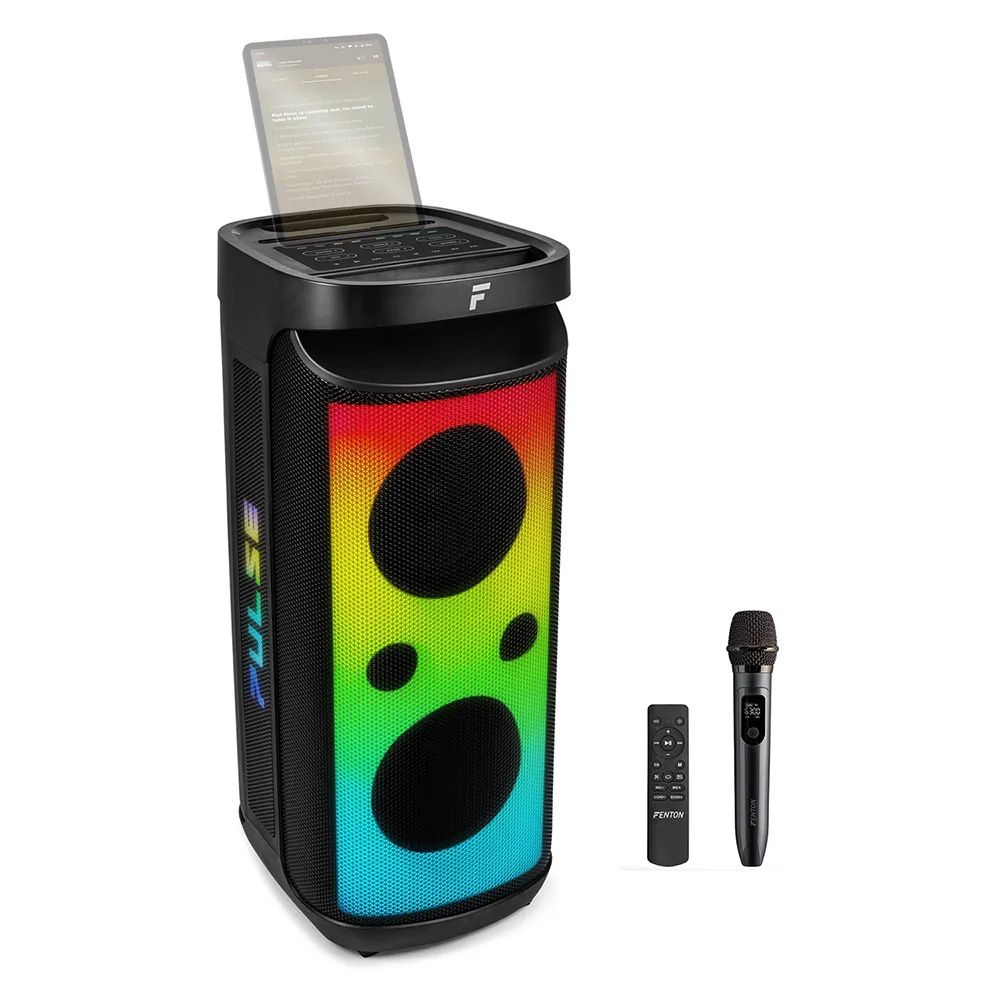 Fenton Pulse160 |
Family parties and portable use | 1 wireless, plus a 6.3mm jack for a second mic | Phone or tablet over Bluetooth, USB, MicroSD | Rechargeable battery | Second singer needs a mic of their own |
| Around $410 |  Vonyx PK-SPLASHMIC |
Duets, backyards and pool areas | 2 wireless | Phone or tablet over Bluetooth, USB, AUX or RCA | Rechargeable battery | Bring a stand or tablet holder for the lyrics |
| Around $460 plus cable |  Vonyx AV510 + Alto TX408 |
TV-based karaoke with more control | 2 wireless | TV or set-top box via optical or coaxial, Bluetooth, AUX | Mains | Needs a speaker and a cable to suit |
What do you need for karaoke at home?
You probably own a few of the basic pieces already, such as a TV and maybe a speaker or sound system. Every home karaoke setup needs the same essentials, but some karaoke machines put most of them into one box.
- A song and lyric source: usually a phone, tablet, laptop or smart TV running a karaoke app, YouTube or another streaming service.
- At least one microphone: wired mics are cheaper and dependable, but wireless mics give the singer more room to bust a move.
- A way to combine the music and vocals: this might be built into an all-in-one karaoke speaker, or handled by a separate karaoke mixer.
- A speaker: it needs to play the backing track and the microphone audio together. A powered speaker has its amplifier built in.
- The correct cables: component systems may need RCA, 3.5mm, optical or speaker cables, depending on the TV, mixer and speaker.
- An internet connection or downloaded songs: sort this out before the party if your karaoke service normally streams online.
The part that might confuse people is assuming every karaoke machine includes all six features. Make sure to check the product page for the microphones, speaker, cables and song source before comparing prices.
All-in-one karaoke set or build your own?
If it’s mostly for the kids and a couple of family nights a year, an all-in-one karaoke set is the easy answer. One party speaker, mics included, and a phone on top for the lyrics. Done!
But if you’ve already got a decent speaker, or you want the lyrics up on the big TV, building from parts usually gets you more bang for buck. You pick the mics, you pick the speaker, and you can upgrade one bit later without binning the lot.
If you’re starting from scratch, compare the complete basket cost. A cheap mixer stops looking cheap once you add two mics, a powered speaker and the right cables. If you already own one or two of those pieces, a component setup starts making much more sense.
Have a look at the room first
Chances are the lounge room is where the action happens. A small carpeted room with a couch soaks up sound, but a big open-plan space with tiles and glass can make your vocals sound muddy.
If you’re living in an apartment, the bass will travel through walls. Look for a bass, EQ or tone control and turn it down after dark if you have neighbours trying to sleep.
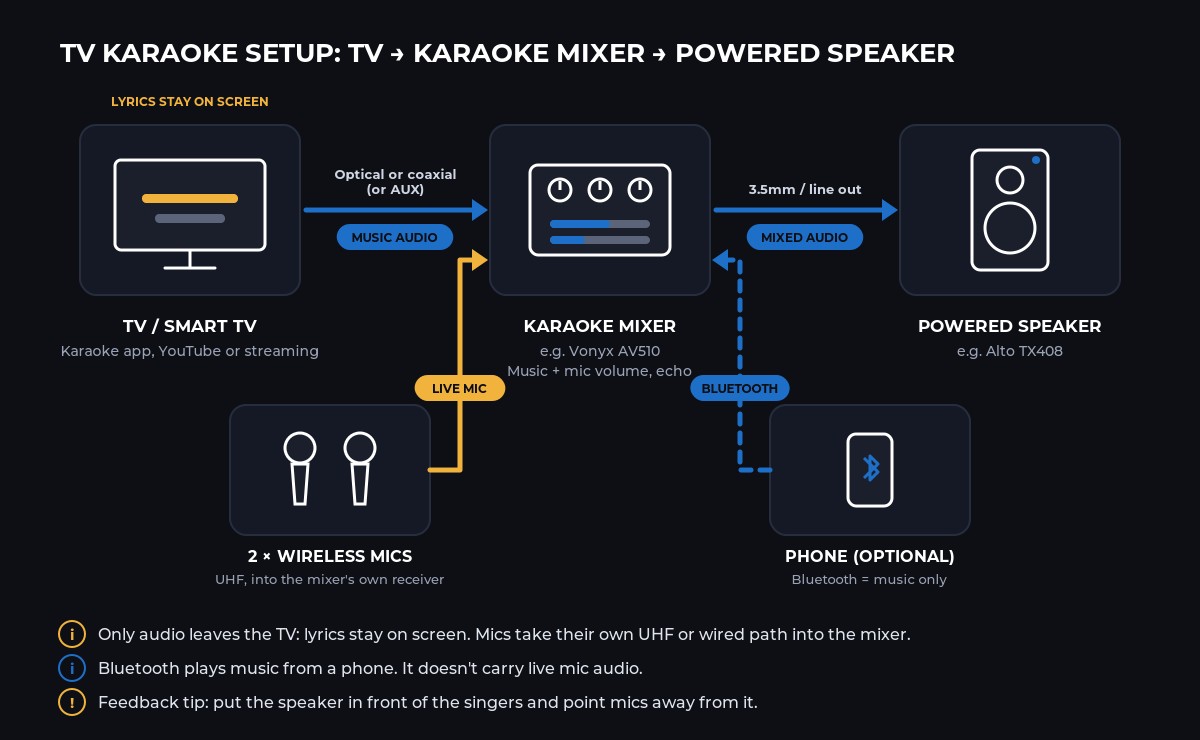
Leave a bit of space for the singer, too! Put the speaker in front of the singers and point the microphones away from it to help control high-pitched feedback.
How do you set up karaoke at home?
- Choose where the songs and lyrics will come from. Open your karaoke app, streaming service or video on a phone, tablet, laptop or TV.
- Connect the music source. Pair it to an all-in-one speaker over Bluetooth, or connect the TV to your karaoke mixer using the output and cable supported by both devices.
- Connect the microphones. Plug in wired mics or connect the wireless receiver supplied with the system. Bluetooth normally carries the backing music, while wireless microphones use their own receiver.
- Position the speaker properly. Put it in front of the singers and point the microphones away from it. This helps stop the microphone picking up the speaker and creating feedback.
- Run a soundcheck. Start with the music, microphone volume and echo turned down. Bring each one up gradually, check both microphones and make sure the lyrics are easy to see.
Do that before everyone arrives. It’s much easier to fix a missing cable or flat microphone battery without six people requesting songs over your shoulder.
Home karaoke setups by budget
Around $120: Fenton AV380BT home karaoke system
If you want karaoke in the lounge room and don’t want to spend a fortune, the Fenton AV380BT is about as complete as it gets for the price. You get a small amplifier, two bookshelf-style speakers, two wired mics and the speaker cables in the box.
Pair your phone over Bluetooth, pull up a karaoke video, and you’re away. There’s also USB, SD, FM radio and an RCA input on the back, so you can plug in the TV if you’d prefer the lyrics up big. Each singer has their own front socket, with one mic volume to balance them against the music.
Check before buying: It runs off mains power with no battery, so it stays inside. The echo effect is built in and can’t be adjusted or turned off.
Under $500: Fenton Pulse160 karaoke party speaker
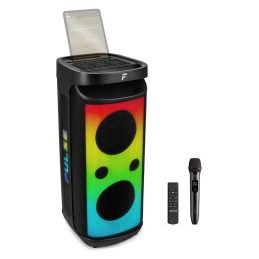
This is the one we’d point most families towards for Christmas summer parties. The Fenton Pulse160 has two 8-inch woofers, a rechargeable battery, a UHF wireless mic and LED lights to throw some colour around the room. There’s a groove on top to hold a phone or tablet, so the lyrics sit right where the singer can see them.
You also get adjustable echo, a record function and a remote. It’s IPX4 splashproof too, so you can bring it out to the backyard on Boxing Day.
In saying that, it only comes with one mic. Add a spare wired mic to the 6.3mm input if you want duets. A Fenton DM100W keeps the whole basket just under $500.
Check before buying: One wireless mic is included. Songs and lyrics come from your own phone or tablet, and the battery needs a charge before the party starts.
Around $410: Vonyx PK-SPLASHMIC for duets
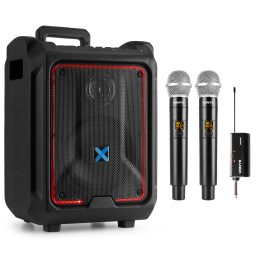
Got a house full of people who all want to sing at once? The Vonyx PK-SPLASHMIC bundles the SPLASH300 trolley speaker with a WM552 dual wireless mic set. Two cordless mics, both plugged in through one little receiver.
The speaker has a rechargeable battery rated up to 10 hours, wheels, a pull-up handle and IPX5 weather resistance. So it rolls from the lounge room out to the pool without much fuss. Bluetooth, USB, AUX and RCA cover the music side.
Check before buying: There’s no tablet groove on this one, so sort out somewhere for the lyrics screen. The bass boost is worth leaving off in an apartment.
Build your own: Vonyx AV510 with a powered speaker
If you already have a TV and a speaker system you want to use, and want the lyrics on the big screen, this is how we’d do it. The Vonyx AV510 is a small karaoke mixer with two UHF wireless mics. It has separate volume for each mic, a music volume, echo and tone, and it takes sound from the TV or set-top box over optical or coaxial, plus Bluetooth and AUX.
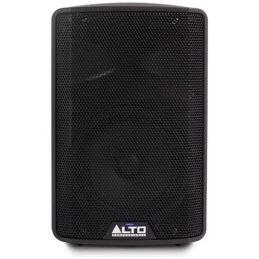
Its 3.5mm AUX out goes to an amp or powered speaker, and an Alto TX408 8-inch powered speaker is a tidy match for a lounge room. That pair comes in a bit under $460 before the cable.
Already own a hi-fi or powered speaker you’re happy with? The Vonyx AV430B adds two wired mics with echo, tone and volume, and comes with the cables to plug into your existing system.
Check before buying: The speaker and connecting cable are sold separately. Check which inputs your speaker has before you choose the cable, or ask the team.
Shop the featured karaoke gear
Current prices and availability are loaded directly from DJ City’s catalogue.
-
Free ShippingOriginal price was: $119.$61Current price is: $61.
Fenton AV380BT Home Karaoke System with Bluetooth, 2 Speakers & 2 Wired Microphones
-
 Original price was: $79.$67Current price is: $67.
Vonyx AV430B Karaoke Mixer System with 2 Microphones Black
-
 Free Shipping$239
Alto TX408 – 350W 8-inch Powered Loudspeaker with Bluetooth
-
 Original price was: $12.$7Current price is: $7.
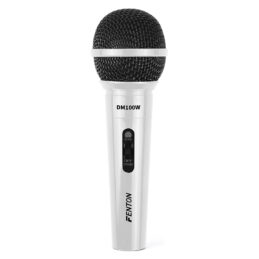
Fenton DM100W – Wired Cardioid Dynamic Microphone White
-
 Free ShippingOriginal price was: $219.$159Current price is: $159.
Vonyx AV510 Karaoke Microphone Controller Pro
-
 $409
Vonyx PK-SPLASHMIC Karaoke Portable Trolley Speaker w/ Mics
-
 Free ShippingOriginal price was: $259.$120Current price is: $120.
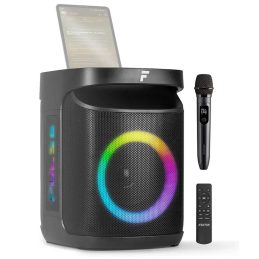
Fenton Pulse65 Bluetooth Karaoke Party Speaker w/ Wireless Microphone
-
 Free ShippingOriginal price was: $539.$401Current price is: $401.
Fenton Pulse160 2×8″ Bluetooth Karaoke Party Speaker with Wireless Microphone
Where do the songs and lyrics come from?
These days, it’s standard to get the songs and lyrics from a karaoke app, YouTube or another streaming service on your phone, tablet, laptop or smart TV. But if you want your karaoke lyrics to be displayed on the big screen like a classic karaoke bar setup, play the karaoke video on the TV and send the TV’s sound to your karaoke speaker or mixer. That’s exactly what the optical and coaxial inputs on the AV510 are for. With a phone over Bluetooth, the singer reads off the phone while the music goes to the speaker.
For a smaller, cheaper option, the Fenton Pulse65 is a battery speaker with one wireless mic and a tablet groove. Have a look through DJ City’s full karaoke systems range and Party Speaker range for more options, or browse karaoke microphones if you’re only after extra mics.
Quick fixes for common home karaoke problems
The music plays, but the microphone doesn’t
Check that the microphone is switched on, its batteries are charged, and the correct mic channel is turned up. If it uses a wireless receiver, make sure the receiver is connected to a microphone input rather than a line output.
You hear a loud feedback squeal
Move the singer behind the speaker, point the microphone away from it and lower the microphone volume. Feedback happens when the mic picks up its own sound from the speaker and sends it back through the system in a loop.
The TV shows the lyrics, but there’s no sound
Check the TV’s audio-output setting and make sure the karaoke mixer or speaker is listening to the matching input. Some televisions need their digital audio format changed before an optical connection will work with external equipment.
The singer’s voice sounds delayed
Keep the live microphone on a direct wired or dedicated wireless path into the karaoke system. Sending live microphone audio through a general Bluetooth connection can add enough delay to make singing uncomfortable.
The lyrics are hard to follow
Put the phone or tablet in a holder close to eye level, or use a TV for a bigger view. Place it where the singer can read without turning away from everyone else in the room.
Christmas delivery, Click & Collect and returns
Black Friday deals are just around the corner too. Worth keeping an eye out if you’re not in a rush.
Home karaoke setup questions
What should I buy for family Christmas karaoke under $500?
An all-in-one karaoke party speaker is the simplest option. The Fenton Pulse160 includes a wireless mic, battery and tablet holder, and a wired second mic keeps the basket under $500. The Vonyx PK-SPLASHMIC includes two wireless mics. Either way, songs and lyrics come from your own phone, tablet or TV.
Do I need a mixer for karaoke at home?
Not with an all-in-one karaoke machine, because the mic and music controls are built in. You only need a karaoke mixer like the Vonyx AV510 or AV430B when you’re adding mics to a speaker or hi-fi that doesn’t have its own mic inputs.
Can I connect two microphones?
Yes, as long as the system has room for them. The AV380BT, AV430B, AV510 and PK-SPLASHMIC include two mics. The Pulse160 includes one wireless mic and has a 6.3mm input for a second wired mic.
Does Bluetooth carry the microphone audio?
Normally, no. Bluetooth on these systems streams the backing music from your phone or tablet. The mics connect separately, either by cable or through their own UHF wireless receiver.
What is included with a karaoke machine?
It varies a lot, so read the What’s Included list on the product page. Most karaoke speakers include at least one mic and a power or charging lead. Songs, lyrics, screens and karaoke app subscriptions are not included.
Can I use my TV for karaoke lyrics?
Yes. Play the karaoke video on the TV, then connect the TV’s audio output to your karaoke system. The Vonyx AV510 accepts optical and coaxial from a TV, and the Fenton AV380BT has an RCA input. Check which audio outputs your TV has first.